


01
Source STL model
Upload the master model and check whether it fits the workflow with a flat selected bottom.
Formwork for silicone molds and casting
Upload a model, set its position, and get ready formwork parts and files for 3D printing without manual assembly in Blender or CAD.
For silicone mold makers, candles, decor, resin, and small productionSave hours of manual work and get a consistent result.
What you get
Upload the master model and check whether it fits the workflow with a flat selected bottom.

The browser shows the model, working side, dimensions, and future geometry before export.
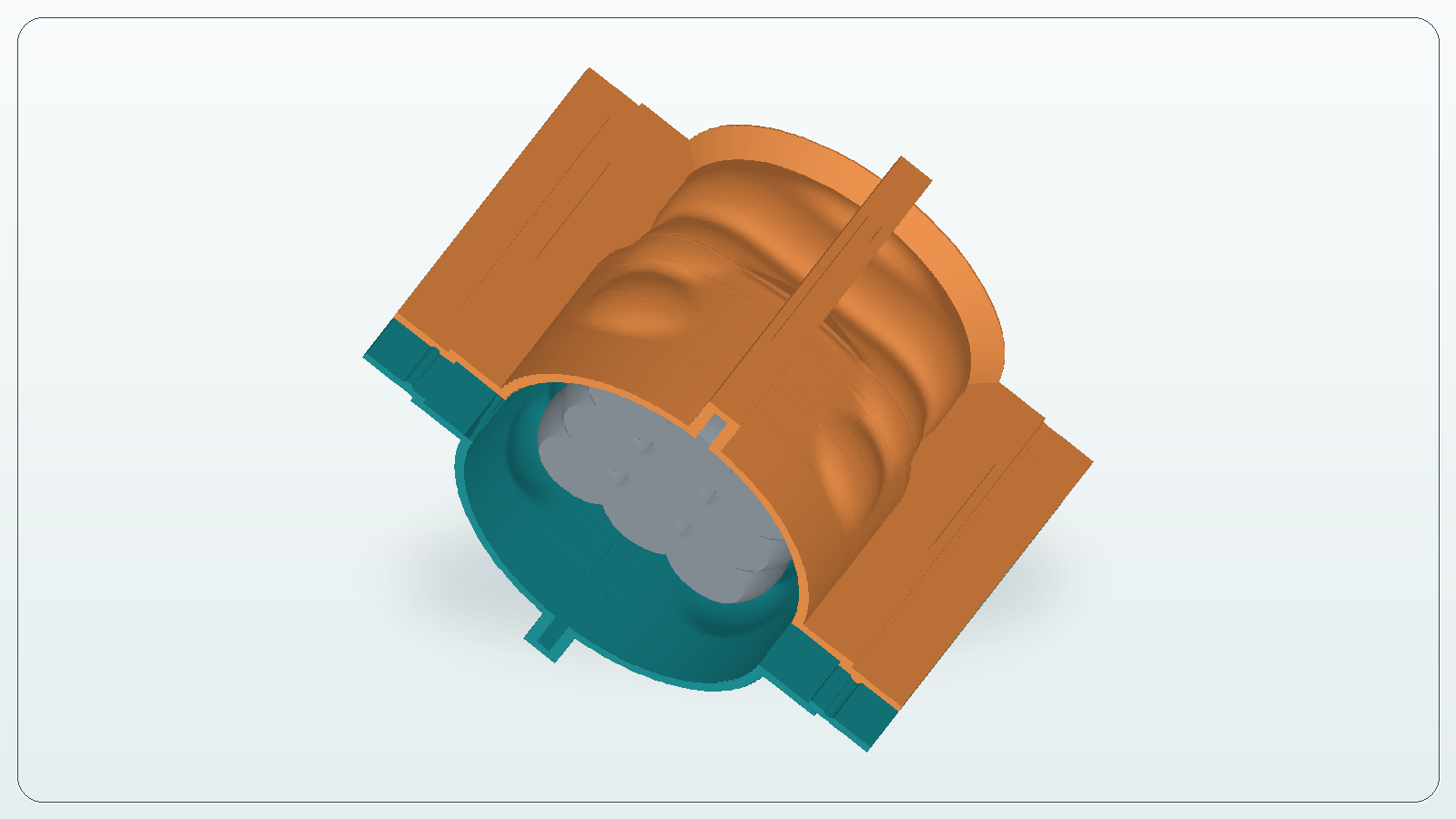
Download the bottom and wall sections as STL/3MF, then prepare them in your usual slicer.
Capabilities
Dimensions, triangle count, and problem areas are visible before part generation, so you can see whether the model fits a silicone mold from STL workflow.
Thicknesses, clearances, and wall splitting are handled in one workflow to produce printable mold formwork around the source model.
After checking the preview, download separate STL or 3MF formwork parts and prepare them for 3D printing in your usual slicer.
It does not matter where the model was made: CraftMold works with most valid STL files within the current service limits. For the first pass, open the CraftMold lessons.
Why it saves time
To understand the available packs first, check CraftMold pricing.
Result example
A detailed walkthrough is available in the lesson from STL to silicone mold formwork.

Use cases
Master models that need printed formwork before silicone pouring.
Suitable STL files with a clear working side and an inspectable preview.
Fast fixture preparation for small objects and test molds.
When you need to show the path from model to slicer-ready parts faster.
Check the mold idea before manual CAD refinement.
A repeatable workflow for several similar STL models.
Fit boundaries
CraftMold shows model limits, builds printable parts, and leaves final control with you before download. The general workflow is covered in the guide to mold formwork software.
The service shows dimensions, file limits, and geometry issues that can break generation or printing before you start the build.
Master models, figures, small batches, and DIY casting where you need silicone mold formwork around an STL.
If the model has no suitable flat bottom, the file is broken, or custom engineering fixtures are required, the service stops with a clear reason.
Process
Control before printing
FAQ
No. It covers a repeatable printable formwork workflow for suitable STL files, but complex manual fixtures still need CAD.
No. You need a valid model within the file limit and with a suitable working side. Problem mesh files should stop with an explicit reason; see the questions about preparing STL files for silicone molds for details.
Separate bottom and wall-section files in STL/3MF that you should inspect and prepare for printing in a slicer.